
Greenhouse Monitoring
Operational monitoring across greenhouses, with intrusion alerts on the main house, and satellite-backed connectivity for when cell drops out.
A grower operates ten greenhouses across a few acres. They need temperature and humidity coverage in every house and intrusion alerts on the main greenhouse during off-hours.
Outbuildings have no WiFi, cell service is decent but not perfect, and a single failed heater on a cold night can lose a crop.
How it came together
- 01
The site
Ten greenhouses are scattered across the property, all within about 1km of each other. The crops inside have a narrow temperature band; too cold and they damage, too hot and they stress. The main greenhouse holds the most valuable propagation work; an intrusion alert after hours matters as much as temperature there.
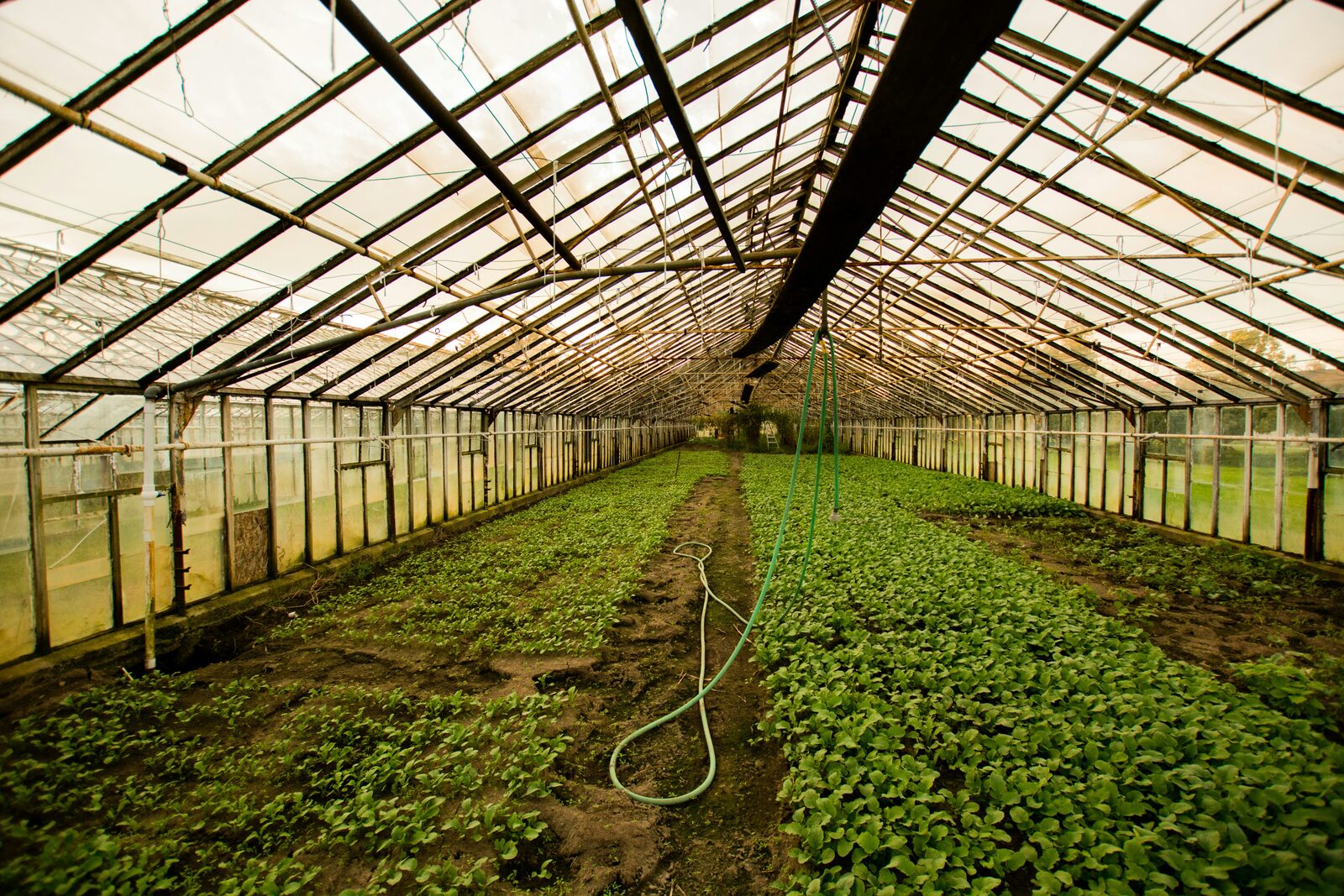
The main greenhouse sits closest to the office; nine more line out across the property. Cell service across the property is decent, but WiFi only reaches the office and the main house. Heating is the most essential concern; a heating failure last winter resulted in loss of a crop and tens of thousands in damages.
- 02
Choosing the kit
The owners choose a Canaro system as the best fit for the job, with long-range add-on sensors and triple-redundant connectivity.
Canaro Hub Pro is selected as the hub; its long-range Add-On support is the only way to reach the outbuildings without running cable or extending WiFi. It also works off WiFi, cellular, and satellite during outages so the owners are always in the loop. The owner also adds an external cellular/satellite antenna to the order to be mounted outdoors; this gives the Pro Hub the strongest possible signal and makes sure the satellite fallback works optimally.
Nine Environment Add-Ons cover the remote greenhouses, one per house; these devices continuously monitor temperature and humidity and are battery-powered. The main greenhouse is where the Pro itself is installed; unlike most sensor hubs, Canaro Hubs already monitor temperature, humidity, air quality, power, and tamper, so no additional sensor is needed there.
One Dry Contact Add-On will work with the existing door and motion sensors via the alarm panel in the main greenhouse.
The plan
Canaro plans are only required for Hubs and have two elements; connectivity and features.
Cell service at the main greenhouse is decent but only available on one carrier, so the WiFi + Cellular plan is the right fit; it also includes up to 12hrs of satellite backup every month at no cost. Canaro works with nearly every carrier worldwide; the owners confirm SaskTel is supported on the Canaro website before ordering. On the 3-year plan, connectivity works out to $12/mo.
Every Canaro plan has two parts: a connectivity plan (how the hub stays online) and an account plan (what the dashboard can do).
The two feature options are Standard and Advanced:
- Standard: included at no cost; supports up to 3 add-ons per hub.
- Advanced (at $5/mo/hub): up to 12 add-ons per hub, access to Canaro's AI analysis feature Interlude, and advanced alert features including phone call alerts.
Given the 9 Add-Ons planned with a single hub, Advanced was the obvious choice, bringing the total monthly cost for the system to just $17/mo on a 3-year term.
- 03
Installing
Canaro is built for operators, meaning self-install is the default. The hubs and add-ons ship with an included mount; wall, post, or shelf, just screw it in and click the device onto the mount.
The Pro takes the included 6ft USB-C adapter into any outlet inside the main greenhouse. Because long-range add-ons are being used, the included long-range Add-On antenna is screwed into the Add-On SMA port*. The external cellular antenna mounts to the outside wall and screws into the hub's main SMA port.
The Dry Contact Add-On is mounted the same way as the others, and the output from the alarm panel is connected to one of the 4 integrated terminal blocks.
That's it for the physical install. No drilling, no cabling between buildings, no specialized antenna installer needed.
* due to US regulations, the Add-On antenna comes pre-installed and is not user-removable for Canaro Hub Pro devices shipped to the United States.
- 04
Bringing the hub online
On a laptop or mobile device, the owner logs into the Canaro dashboard and enters the activation code printed on the Pro. They set their desired alerts:
- Power loss; instant alert if the hub loses mains power (backup battery keeps it reporting)
- Temperature low; below 4°C
- Temperature high; above 35°C
- Tamper
Because the hub sits in the main greenhouse, those four alerts already cover the most valuable space.
For each alert, the owners add the greenhouse manager's email and phone number for SMS alerts, then add their own contact information to be notified if alerts aren't acknowledged on the dashboard within 30 minutes; a feature unique to the Advanced feature tier.
- 05
Add-ons online
Each Environment Add-On is mounted the same way and powered by 3× AA lithium batteries, so there's a lot more flexibility in where they can be placed. The owner enters each activation code in the dashboard and links it to the Canaro Hub Pro. Then the per-sensor setup:
- Reporting interval: every 12 hours
- Thresholds: temperature low < 4°C, high > 35°C; humidity low < 40% RH, high > 85% RH
The 12-hour interval is just the routine check-in. The sensor itself monitors continuously; the moment a threshold is breached, it forwards an immediate alert and data update regardless of the reporting schedule. The battery lasts for years, and emergencies are still seconds-fast.
The Dry Contact Add-On setup is similarly simple; an alert is configured for Input 1 and named "Main Greenhouse Alarm Panel". If any alarm is triggered by the existing wired system, an alert is sent out via SMS and email too.
- 06
Living with it
The owner installs the dashboard as an app on her phone and regularly checks how everything is doing while off-property. She's pleased to see Canaro keeps working even when a storm takes out power for a few hours; their old WiFi system would have stopped working altogether. Fortunately, the cellular signal has held strong and it hasn't needed to fall back to a satellite connection.
A few weeks in, a water leak in one of the houses results in an add-on order; a Leak Sensor Add-On arrives a few days later and is easily installed. It integrates seamlessly into the rest of the system, and comes at no additional monthly cost.
A failed heater on a cold night is the kind of event you find out about the morning after; by which point the damage is done. This playbook shows how a grower with ten greenhouses got every house monitored from a single hub, with cell and satellite backup, and how the system kept working when storms knocked out power and WiFi.
What the whole system costs
- 1× Canaro Hub Pro Lives in the main greenhouse; long-range reaches the other nine$399
- 9× Environment Add-On One per remote greenhouse; temperature + humidity, battery-powered$711
- 1× Dry Contact Add-On Wired to the main greenhouse alarm panel for door + motion alerts$49
- 1× External Cellular/Satellite Antenna Mounted outdoors, screws into the Canaro Hub Pro's SMA port$49
- Connectivity WiFi + Cellular · 3-year$12/mo
- Advanced account plan Advanced · per hub$5/mo
Full-property coverage from a single hub. Crops protected, intrusion covered, and connectivity that keeps reporting even when the power and WiFi go down.